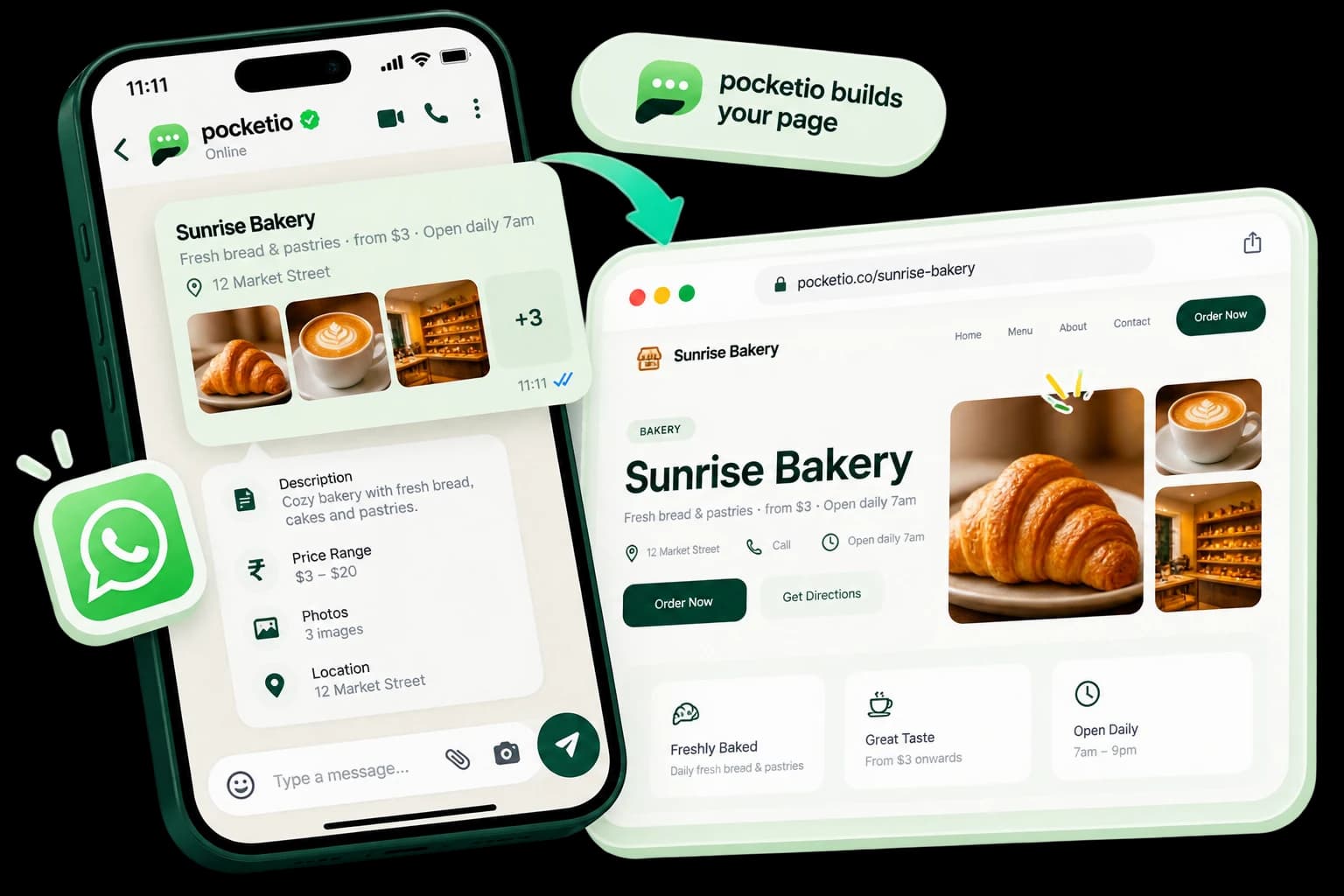
Your Listing, From WhatsApp to Website. Made Simple.
Turn business, service, product, or property information into a professional online listing without coding, design tools, or complex setups.
SEND
Details + photos in chat
BUILD
Pocketio structures & hosts
SHARE
Ready-to-share live link
How Pocketio Works
The entire website creation process happens inside a simple WhatsApp conversation. You provide the raw information and photos; Pocketio structures the content, designs responsive sections, and returns a live, shareable website.
Open Assistant
Start with one tap
Launch the official WhatsApp chat from pocketio.co or message our verified number directly.
Send Info & Photos
Raw text & bulk media
Type or paste your property or business details, pricing, location, and attach your photos.
Type DONE
15-second build
Pocketio organizes content, optimizes images, applies responsive layouts, and provisions hosting.
Live Link & QR
Ready to distribute
Receive your unique subdomain link with one-tap inquiry buttons and printable flyer ready to share.
From casual WhatsApp messages to a high-converting website.
You don't need to worry about layouts, design choices, column grids, or DNS configuration. Send your details in chat, and Pocketio builds a polished, mobile-first website ready for clients.
Sharma Real Estate
2 BHK Spacious Flat in Baner, Pune. 1,150 sq ft, premium tower, covered parking, clubhouse & pool. Price ₹72 Lakh.
+ 4 High-res property photos attached
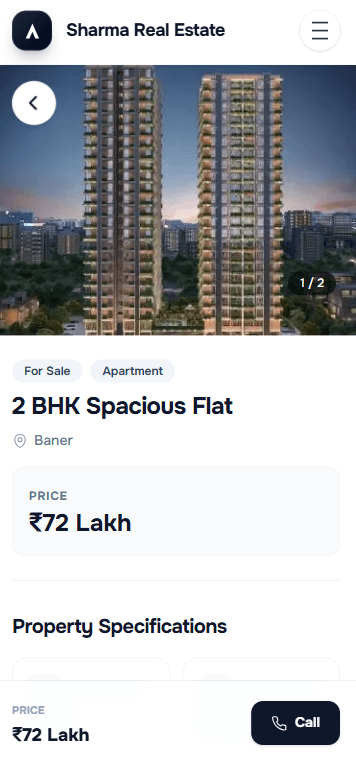
Actual live website rendered on mobile browser
WHAT YOU CAN CREATE
Pocketio is optimized for direct-response businesses where customers need clear info and quick contact.
Real Estate & Properties
Villas, apartments, commercial offices, homestays, and land plots.
Local Businesses & Shops
Cafés, salons, bakeries, fitness studios, workshops, and retail showrooms.
Professional Services
Consultants, interior designers, clinics, accountants, and freelance agencies.
Products & Academies
Boutique product catalogs, coaching classes, training academies, and workshops.
EDIT on WhatsApp.Getting Started with Pocketio
You do not need a computer, design skills, or hosting knowledge to build your first site. Everything begins directly from WhatsApp.
Open on your phone
STEP 1Visit pocketio.co and tap "Create Your Website" to instantly launch the official WhatsApp assistant.
Send your first message
STEP 2Type "hi" to connect. Pocketio will greet you and display the list of available commands.
Type NEW to start
STEP 3Send "NEW" to begin submitting your text and photos for a brand new website.
What happens after you type NEW?
Pocketio records your title, price, location, highlights and amenities.
Send photos one-by-one or in bulk batches without compression worry.
Sending DONE compiles the layout, registers DNS, and returns the live link.
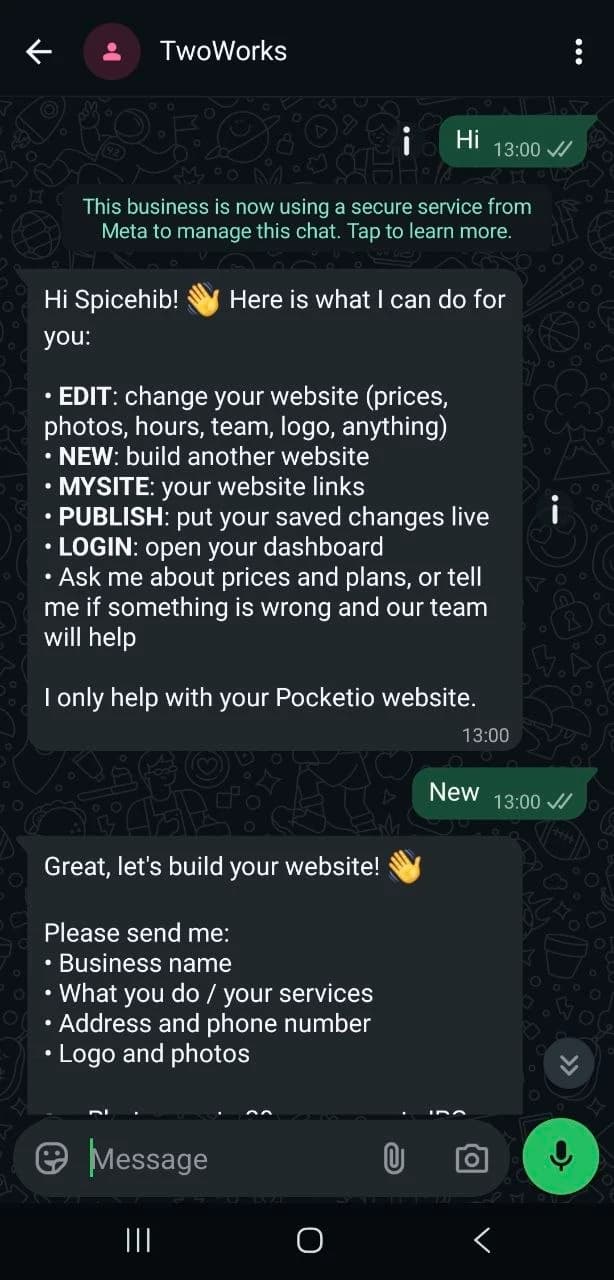
Real chat: sending catalog description, pricing, and photo batch.
Prepare Your Listing Content
Better inputs lead to a more compelling, high-converting page. You can paste a complete listing in one message or send it in parts.
Listing Content Checklist
8 key elements Pocketio looks for to build a complete listing
Name
Business / agent / property title
Category
Real estate, service, shop, etc.
Description
What it is and who it helps
Location
Full address or useful location details
Contact
Correct WhatsApp / phone / email
Key details
Price, size, hours, features, services
Visuals
Logo and high-quality photos
Call to action
Book, enquire, call or visit
Luxury 3 BHK Apartment
Near College Road, Nashik
CARPET AREA
1,250 sq. ft.
BEDROOMS
3
BATHROOMS
3
FLOOR
7th
PRICE
₹1.15 Crore+
PARKING
1 covered
Photo and Video Upload Rules
Media guidelines for sharp, optimized loading on all devices
Up to 20 photos per request
JPG, PNG or WebP • up to 5 MB each
MP4 only
Up to 20 MB; available on Growth and Pro plans
No need to fit it all in one message
Send text, photos and corrections, then type DONE
Three Rules That Prevent Avoidable Mistakes
WhatsApp Assistant Commands
Send these commands as standard WhatsApp messages. You can tap any command badge below to copy it straight to your clipboard.
Create another website. Pocketio starts a fresh collection of business or listing details.
Change an existing website — for example, prices, photos, hours, team details or logo.
Get your website links anytime so you can open or share them with clients.
Put saved changes live when the flow indicates that publishing is needed.
Get an instant login magic link to open the dashboard on your phone or computer.
Important: Use DONE only after sending all details & photos
When building a site, Pocketio acknowledges each chunk of text and image batch. Send DONE to trigger final processing. Pocketio compiles everything, configures responsive styles, and sends back your live link.
💡 Natural Language Supported: If you forget an exact command name, you can simply text what you want changed in plain language (e.g. “change the price to ₹1.2 Cr”), or send LOGIN to manage everything from your web browser.
Visual Dashboard & Site Editor
Open the dashboard whenever you prefer a full-screen desktop interface to edit content, inspect analytics, manage custom domains, or fine-tune styling.
Open the dashboard
Visit pocketio.co/dashboard or send LOGIN in the WhatsApp chat to receive your magic access link.
Sign in
Use the email or WhatsApp number associated with your Pocketio account. New users can sign up in seconds.
Choose the relevant site
From your sites overview, select the website or listing you want to inspect or modify.
Update and review
Edit textual details, upload new hero photos, reorder gallery items, and preview the changes live.
Confirm it is live
Save your changes. If prompted that publishing is required, send PUBLISH in WhatsApp or click deploy.
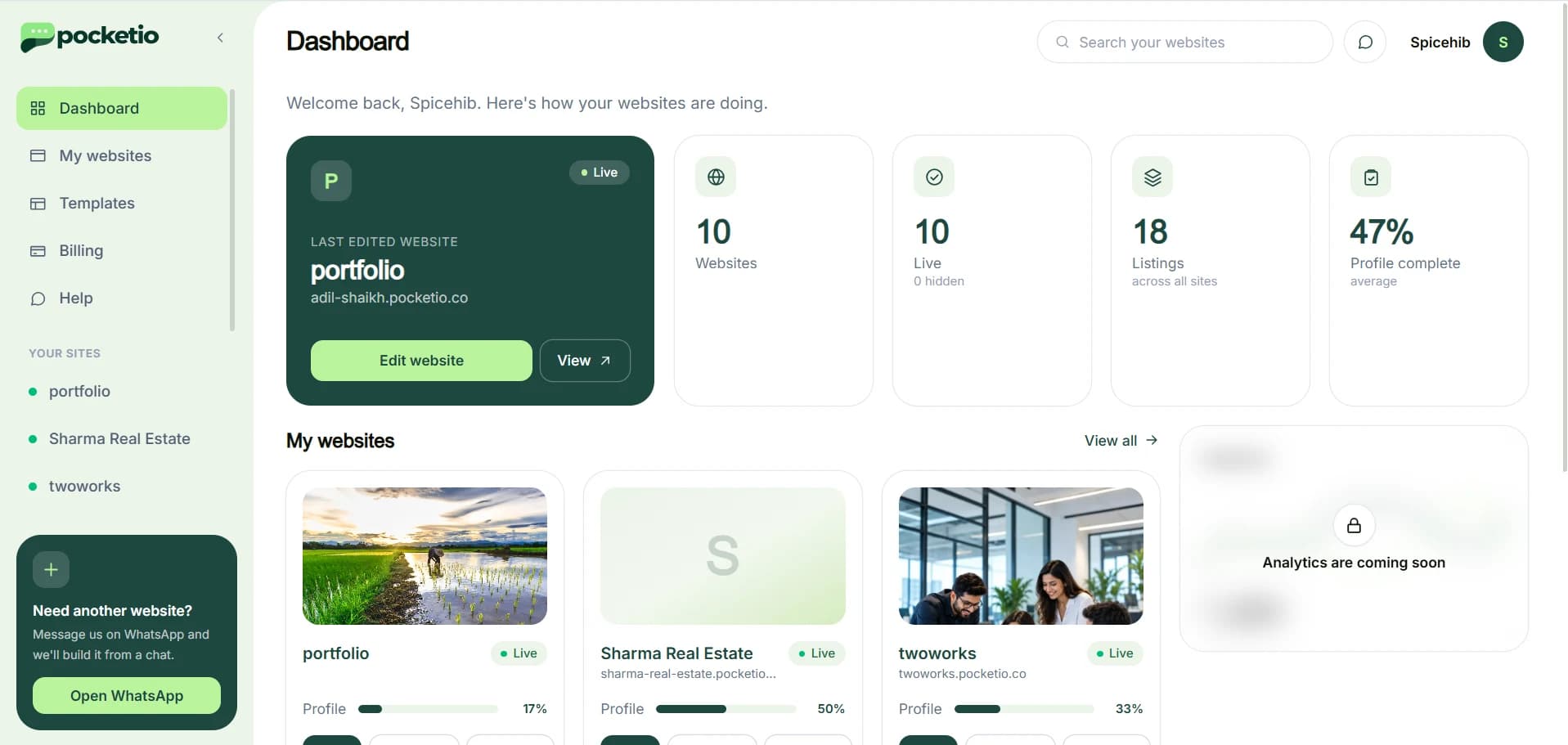
Real view: manage your published websites, live preview links, and visitor stats.
Pre-Launch Checklist & Sharing
Confirm your site is flawless before public sharing, distribute it across key channels, and manage billing limits or custom domains.
Pre-Launch Quality Check
Quick 30-second audit before broadcasting your link to clients
Verification tip: Always test your link in an incognito window or on a colleague's phone to ensure it opens instantly without login screens.
Where to Share Your Live Website
Optimized for mobile-first social discovery and direct inquiries
Add to WhatsApp Status & client broadcast chats
Instagram / FB
Place in bio link, stories, and pinned posts
Print & QR
Generate QR code for brochures, flyers & signboards
Ad Campaigns
Use as a dedicated mobile landing page for Google & Meta Ads
Instant Printable QR Flyers & Badges
Generate high-resolution printable PDF flyers directly from your site dashboard. Place the QR code on shop counters, site signboards, brochures, and business cards for instant mobile scanning.
Plans & Custom Domains
Connect your own domain (.com, .in) on Starter, Growth, or Pro
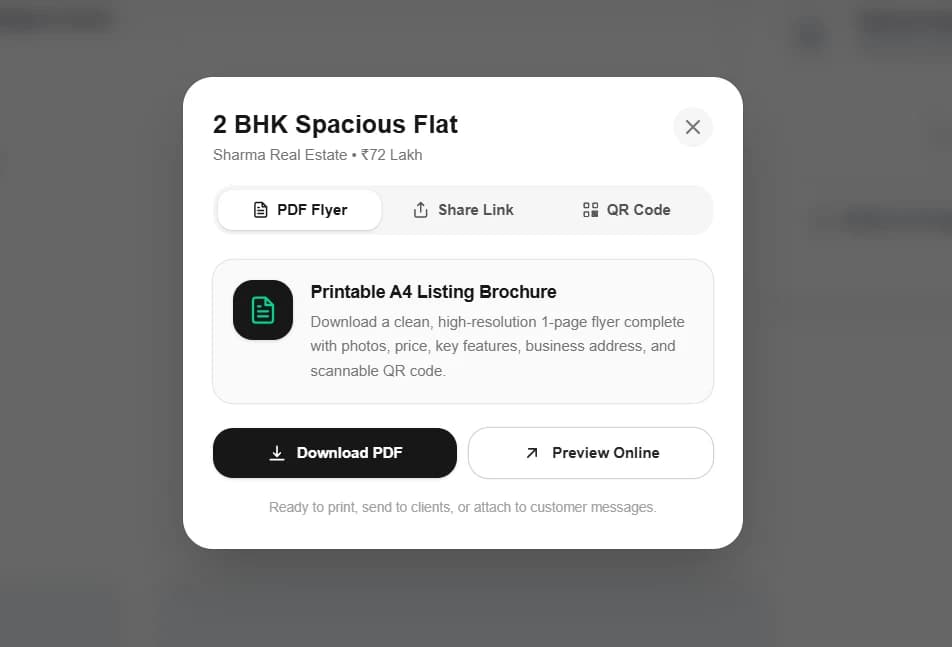
Real dashboard export: ready-to-print QR flyer with logo and contact info
Reusable WhatsApp Listing Template
Copy and paste this structured template into WhatsApp. Replace the bracketed text with your real business information to ensure Pocketio formats every detail perfectly.
[BUSINESS / LISTING NAME]
Category: [Real estate / Café / Service / Shop / Product]
Tagline: [Short 1-line summary of what you offer]
Description: [2-3 sentences explaining your offering, experience, or USP]
Location: [Full address, landmarks, city, pincode]
Pricing: [Starting price or price range, mention if negotiable]
Key Highlights:
- [Feature 1: e.g. 3 Bedrooms / Organic Ingredients / 24x7 Emergency Service]
- [Feature 2: e.g. 1,250 sq. ft. / Free Consultation / Free Parking]
- [Feature 3: e.g. Near Metro Station / Certified Experts]
Amenities / Facilities: [Gym, Swimming Pool, WiFi, AC, Delivery]
Contact Number: [WhatsApp Number and Calling Number]
Email: [Your Official Contact Email]
Call to Action: [Book Site Visit / Call Now / Order on WhatsApp]

(Send this text message first, then immediately attach photos, and finally reply DONE)
Attach Photos Next
Send 5 to 20 bright, high-resolution photos representing your product, location, or amenities immediately after pasting the text.
Reply DONE to Build
Only reply DONE when all text and photos are completely sent. Pocketio will assemble and publish your page.
Frequently Asked Questions & Quick Fixes
Encountered an unexpected issue or question? Most common hiccups are answered right here.
Still have questions or need personalized help?
Our team is happy to help you with custom domain setup, multi-listing catalogues, or business account onboarding.
Ready to Put Your Listing Online?
Send your listing on WhatsApp and get a professional website in a minute.
No coding. No designing. Just WhatsApp.